Houston Chronicle
- 4.3
- Rating
- 50.00K
- Installs
- Free
- Price

 Analysis by App-foxy
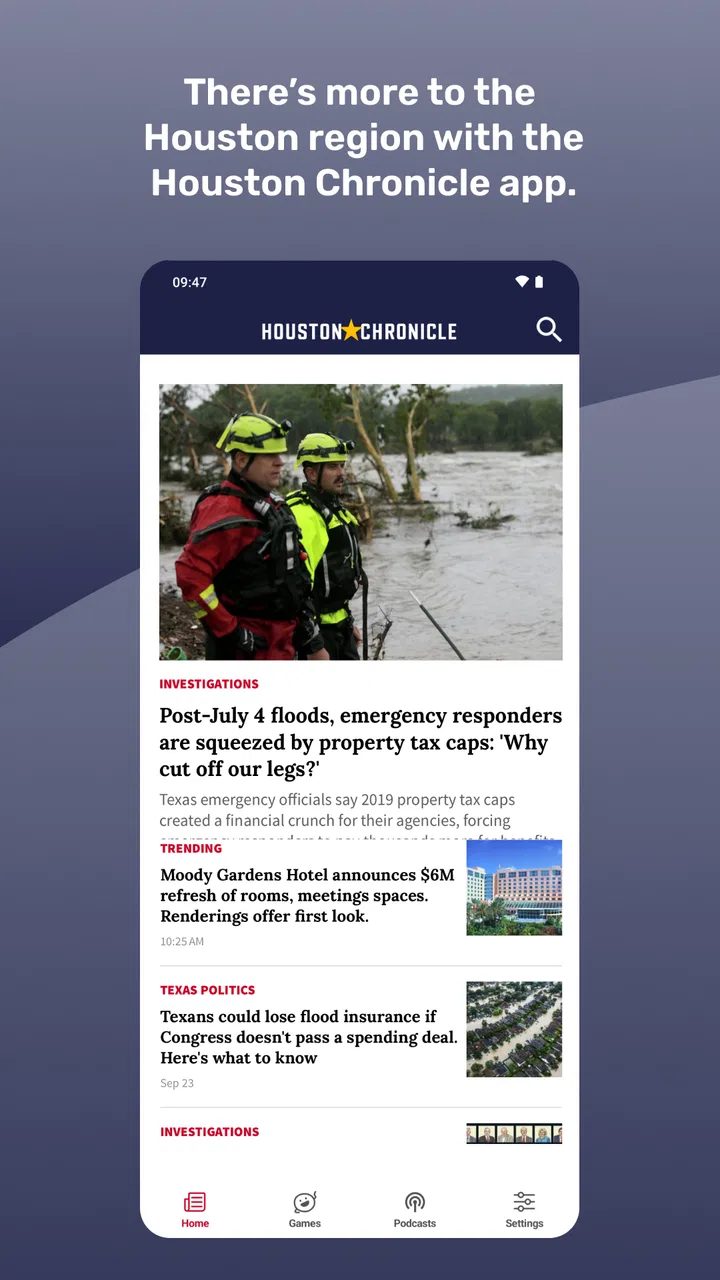
I approached Houston Chronicle as a local news and magazine app rather than as a complete replacement for every way of following current events. That distinction matters. Its focus is Houston: local reporting, politics, sports, Astros coverage, Texans coverage, food, puzzles, and the newspaper experience. If those subjects are part of your daily routine, the app has a clear purpose. If you mainly want national headlines or a broad international news reader, its local emphasis may feel narrow.
In my experience, the real test is not whether the app can show news. Most news apps can do that. The better question is whether it helps you move from “What happened?” to “What does this mean for people around Houston?” without making the process feel unnecessarily complicated. I found its strongest appeal in that local context, especially when I wanted one place for civic news, teams, food coverage, and lighter newspaper material such as puzzles.
Getting past the first points of friction
The app is free to install, is suitable for Everyone, and comes from Hearst Newspapers - LLC. It has been available since October 9, 2018, so it is not a brand-new experiment. That history is reassuring, but it also means I would approach setup with realistic expectations: a long-running newspaper app can contain several layers of content and account-related steps, and the first screen may not immediately feel as simple as a lightweight headline reader.
You May Also Like

 Blood Strike: 2.5 Anniversary
Blood Strike’s Loadouts Turn Every Drop Into a Tactical Gamble
A close look at Blood Strike’s custom loadouts: how fast access to signature weapons reshapes its battle royale rhythm, rewards preparation, and narrows the gap between fights.

 Pandora - Music & Podcasts
Pandora’s Music Is Easy to Start, but Harder to Recover
Pandora’s strength is its low-effort path from a seed to a station. Its weak spot is how much confidence it asks you to place in connection, setup, and quiet recovery.

 8 Ball Pool
 Is Built on Rivalries, Rematches, and Routine
A close look at the rivalries, rematches, shared routines, and unanswered safety questions that turn a quick pool match into a persistent mobile community.

 Samsung Music
’s Quiet Strength Is Playing What You Already Own
Its reach comes less from spectacle than from dependable access to a personal library. That simplicity is both the app’s strongest retention engine and its ceiling.

 AccuWeather: Weather Radar
AccuWeather Review: A Quick, Clear Forecast for Everyday Decisions
For everyday plans, the best forecast is the one you can understand quickly. AccuWeather makes rain timing, radar, and local conditions easy to act on, with a few trade-offs.

 Hill Climb Racing
Why Hill Climb Racing Still Turns Crashes Into One More Run
A tiny car, a bumpy hill and one more upgrade: Hill Climb Racing keeps resurfacing because its simple chaos makes every near-miss feel personal.
More From Our News Desk
View All News


One common place users can get stuck is confusing installation with access to every part of the publication. The free download gives you a way into the Houston Chronicle experience, while some content or services may involve in-app purchases priced from $5.99 to $14.99 per item. I recommend deciding what you want before tapping through any purchase screen. Are you looking for occasional local headlines, or do you expect a fuller newspaper reading habit? Those are different use cases, and the second may require more commitment than the first.
I also pay attention to the device requirement before troubleshooting anything else. The app requires iOS or Android version 9 or later. If the operating system is older, reinstalling the app repeatedly will not solve the underlying compatibility problem. Checking the phone or tablet’s system version first is a small step, but it prevents a lot of wasted time and avoids treating a basic platform mismatch as an app failure.
The current version is 202608.28. Seeing a current build is useful, but version numbers alone do not guarantee that every device will behave identically. Storage pressure, an aging operating system, unstable connectivity, or a stalled store update can all affect the opening experience. I would leave enough free space for an update, install the latest available build, and restart the device before judging the app.
Another setup detail worth considering is notification discipline. News apps can become irritating when every alert feels urgent. I prefer to begin with a restrained approach, allowing only the kinds of updates I genuinely want to interrupt my day for. If the app presents choices during setup, I would select carefully rather than accepting everything automatically. A local news app is most useful when it fits your routine instead of competing with it.
What I would check before blaming the app
When a story refuses to load, I first check whether other apps can reach the internet. A weak connection can make a news feed appear broken even when the application itself is working. Switching between Wi-Fi and mobile data, then trying again after a short pause, is a sensible first test. If other services are also slow, the Houston Chronicle app is probably only showing the effects of a wider connection problem.
I would also close and reopen the app, but I would not make that the only troubleshooting step. If the same screen remains stuck, a complete device restart is more useful than repeatedly swiping the app away. On Android, clearing temporary app data can sometimes help with a damaged local session, though I would be careful to remember any sign-in details first. On iOS, reinstalling is a more disruptive step and should come after checking the connection and store updates.
For a publication app, the store account and the newspaper account can serve different purposes. The store handles the installation and any platform purchase process; the publication may use its own access flow. If a subscription or paid item does not appear as expected, I would avoid purchasing again immediately. First, check that the same account used for the original transaction is active, then look for a restore or account-recovery option if the app provides one. This is not glamorous advice, but it can prevent duplicate charges and unnecessary frustration.
The app’s rating of 4.3 from around 1.1 thousand ratings suggests that many people find it useful, while the total of roughly 473 written reviews indicates enough feedback to reveal recurring friction. I would treat that rating as a helpful signal, not a promise that every device or workflow will be smooth. News apps are especially sensitive to changing content, account states, and network conditions, so personal setup still matters.
A better daily workflow for local news
I get more from Houston Chronicle when I use it with a purpose instead of opening it randomly every few minutes. In the morning, I would scan local reporting first, then move to politics or sports depending on the day. Later, I might return for Astros or Texans updates, food coverage, or puzzles. This creates a manageable rhythm and makes the app feel more like a local newspaper companion than an endless stream of alerts.
One practical use case is a weekday commute or lunch break. I might open the app to understand a Houston issue that is affecting conversation at work, read the essential local context, and then leave rather than falling into unrelated browsing. For a sports fan, the workflow is different: check team coverage around a game, then use the rest of the app for local reporting when there is no match to follow. The value comes from having these nearby interests in one publication, not from pretending they are all the same kind of reading.
I also like the idea of separating “need to know” reading from “want to browse” reading. Politics and breaking local news belong in the first group. Food articles and puzzles fit the second. Treating them differently helps me avoid the common newspaper-app problem where a relaxing feature becomes mixed with urgent updates and the whole experience starts to feel noisy.
If a page fails halfway through reading, I would take a simple recovery path: return to the main feed, reopen the item, and try again on a stronger connection. If that does not help, I would close the app, restart the device, and check for an update. I would not repeatedly tap a purchase button or assume that a missing article means the entire account is broken. Separating content loading problems from access problems is the key distinction.
For users who read at home on a tablet, I would test the app in the exact place where it will be used. A phone may work well on mobile data while a tablet has a weak household Wi-Fi signal. Conversely, a large screen can make newspaper-style reading more comfortable but can expose layout or scaling annoyances that are less noticeable on a phone. The right device is the one that matches your reading habit, not necessarily the newest one.
When the problem is outside Houston Chronicle
It is easy to blame a news app when a story is unavailable, but the cause may be temporary connectivity or a service-side issue. If several sections fail at once, while the rest of the phone works normally, I would wait and retry rather than repeatedly reinstalling. If only one article has trouble and other stories open, the problem is more likely limited to that item or its current delivery path.
Account confusion is another frequent source of false alarms. A user may install the app with one store account, sign in to the publication with another email, and then expect access to transfer automatically. I would write down which account is being used at each step before contacting support. That simple record makes it easier to explain whether the issue concerns installation, sign-in, or a purchase.
Paid access deserves particular care. Since in-app purchases range from $5.99 to $14.99 per item, I would review the purchase screen slowly and confirm what is being offered before approving anything. If access does not appear afterward, I would avoid assuming that payment failed just because the screen did not change instantly. Check the account, allow a little time, and use the platform’s normal purchase history or recovery route where appropriate.
There is also a difference between wanting fast headlines and wanting a newspaper relationship. A general news aggregator may be better if you need many sources, broad national coverage, or a single place to compare perspectives. A social feed may feel faster, but it can be less organized and less dependable for following a local story over time. Houston Chronicle makes more sense when Houston itself is the center of your information needs.
I would skip it if my main requirement were a completely free, nationwide news dashboard with no purchase prompts and no interest in local newspaper coverage. I would also look elsewhere if puzzles, food, politics, and Houston sports do not appeal to me. The app’s focus is its advantage for the right reader, but that same focus limits its usefulness for someone seeking a general-purpose news tool.
What makes the local focus worthwhile
The most useful aspect is the combination of subjects that normally require several separate destinations. Local politics can sit alongside sports, food, and puzzles without forcing me to maintain a collection of unrelated apps. That does not mean every reader will value every section equally. It means the publication can support different moments in the day: serious local awareness, team-following, weekend planning, and casual newspaper reading.
For someone new to Houston, the food coverage may be a practical entry point into the city, while local reporting provides context that national outlets often overlook. For a longtime resident, the politics and community reporting may matter more than the lighter sections. For a dedicated Astros or Texans follower, the sports coverage can be the reason to keep the app installed even when the rest of the news cycle is quiet.
My non-obvious tip is to use the app as a starting point for questions, not as the only place to settle them. If a local story affects a decision involving work, travel, school, or money, I would read the relevant coverage carefully and then check any official source that applies. A newspaper app is valuable for explanation and context, but responsible decisions sometimes require confirming details elsewhere.
Another useful trade-off is notification versus intentional checking. Alerts can help when a major Houston development matters immediately, but too many interruptions reduce the quality of attention. I would keep notifications limited, then make one or two deliberate reading sessions part of the day. That approach preserves the app’s local usefulness without turning it into background noise.
I would also give the puzzles a fair trial before dismissing them as decoration. Short, low-pressure activities can make the app more useful during a break, especially for readers who like the feeling of a traditional newspaper. They are not a substitute for a dedicated puzzle app, but they add a different kind of value and help explain why the publication includes more than breaking headlines.
My practical verdict for Houston readers
Houston Chronicle is best for readers who want Houston-centered coverage in one familiar place. I would recommend it to residents who follow local politics, Astros or Texans news, food, and newspaper-style features, especially if they prefer a publication with a clear regional identity over an algorithmic collection of headlines.
The app is free to install, carries an Everyone age rating, and has passed the early stage of its life with more than fifty thousand installs. Those details make it approachable, but they do not remove the need to check the operating system, keep the app updated, and understand the difference between free access and optional in-app purchases. The practical setup work is minor, yet doing it early makes the reading experience more predictable.
My honest reservation is that the experience may feel less direct than a minimalist headline reader. There can be more to navigate, and users who dislike account steps or purchase decisions may find that tiring. The broader publication approach is also unnecessary if I only want national news or a single sports score. In those cases, a specialized alternative is likely more efficient.
For me, the deciding factor is relevance. When I want to understand Houston rather than simply consume news, the app’s mix of local reporting, politics, sports, food, puzzles, and newspaper content gives it a useful place in my routine. When a page misbehaves, I would troubleshoot the connection, account, operating system, and purchase state in that order instead of immediately blaming the app. Used that way, it is a solid local news companion, provided its Houston-first focus matches what I actually want to read.
FAQs for Houston Chronicle
01What is the Houston Chronicle app?
The Houston Chronicle app is the mobile version of the Houston Chronicle newspaper, designed to provide news coverage for Houston, Texas, and surrounding communities. After installing it, readers can browse local reporting, breaking news, politics, business, sports, entertainment, weather, and opinion content. The layout is optimized for phones and tablets, making it easier to follow important stories while traveling or away from a computer.
02Is the Houston Chronicle app free to download and use?
Downloading the Houston Chronicle app is generally free on Android and iOS, and users may be able to access selected articles without subscribing. However, much of the publication’s premium journalism can require a Houston Chronicle subscription or digital access plan. Availability, article limits, pricing, and trial offers may change, so it is best to review the current subscription details in the app or official store listing before signing up.
03What type of news can I read in the Houston Chronicle app?
The app focuses strongly on news relevant to the Houston area and greater Texas region. Depending on the current edition and editorial coverage, you can find local breaking news, investigations, community updates, politics, education, traffic, weather, business, sports, food, culture, and entertainment. It is particularly useful for readers who want regional reporting rather than a general national news application.
04Does the Houston Chronicle app require an account or subscription?
You may be able to open the app and read some free content without creating an account, but an account is typically needed to manage a subscription, save preferences, or access subscriber-only articles. A paid subscription may also unlock a larger selection of stories and other digital benefits. Before downloading, check the current access rules because the number of free articles and subscription requirements can change.
05Can I receive breaking-news alerts from the Houston Chronicle app?
Yes, the Houston Chronicle app may support push notifications for breaking news, major local developments, weather events, sports updates, and other important stories. Notifications can be useful during emergencies or fast-moving events, although the exact categories depend on the app version and your settings. After installation, you can usually allow or disable alerts through the initial permission prompt or your device’s notification controls.
Pros
- Reliable local reporting focused on Houston and surrounding communities.
- Includes coverage of breaking news
- sports
- politics
- and local events.
- Personalized alerts help readers stay updated on important stories.
- Clean layout makes articles easy to browse on mobile devices.
- Subscription provides access to extensive digital newspaper archives.
Cons
- Most premium articles require a paid subscription to read in full.
- Some users may find frequent notifications distracting.
- Coverage is primarily regional and may feel limited for global news.
- The app can use significant storage for cached articles and media.
- Certain features may depend on a stable internet connection.

Houston Chronicle
Gallery